Security camera systems must be tailored to fit the specific risks and environments of each business. A careful needs assessment helps avoid common mistakes such as gaps in coverage or unsuitable equipment. Making informed choices can support operational, legal, and safety objectives.
Planning a security setup requires more than purchasing the latest devices; it involves understanding your sector, site layout, and security priorities. Whether you manage a retail site, a warehouse, or an office, commercial security cameras are fundamental for protecting assets and shaping behaviour. Not aligning hardware with business needs may result in wasted investment and insufficient protection. By approaching selection methodically, you help ensure your system meets genuine operational demands. The referenced service provides information about CCTV and video surveillance solutions tailored for businesses, including details on system capabilities, industry-specific applications, and technical support aimed at addressing diverse security requirements.
Clarifying surveillance goals and coverage areas
Every security camera system should begin with a clear objective. For organisations facing mobile, individual, or meeting-related risks, protective surveillance can add a discreet, intelligence-led layer of early warning without the visible presence of an overt security team. Some organisations may focus on deterrence, while others need footage for evidence, real-time response, or operational monitoring. Defining the main purpose of your cameras will influence later decisions about specification and system design.
Coverage priorities vary by business type and risk evaluation. Common areas needing surveillance include entrances, exits, high-value stockrooms, loading bays, and customer-facing spaces. Identifying these locations early on helps in determining the number and placement of cameras for effective monitoring.
Assessing environmental and hardware compatibility
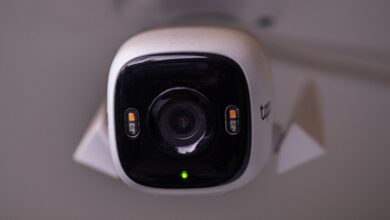
Matching the camera type to its physical environment is important for consistent performance. Outdoor locations require weather-resistant casings, protection against tampering, and the capability to withstand changes in lighting or temperature. Indoor set-ups may need more compact devices for discreet installation.
Lighting conditions also influence hardware selection. Many premises encounter low-light corridors, car parks at night, or varying daylight near entrances. Addressing these situations involves selecting cameras with strong low-light capability and features like infrared or anti-glare lenses. Service providers often offer guides that help with environment-specific camera selection and installation requirements.
Choosing appropriate system types and features
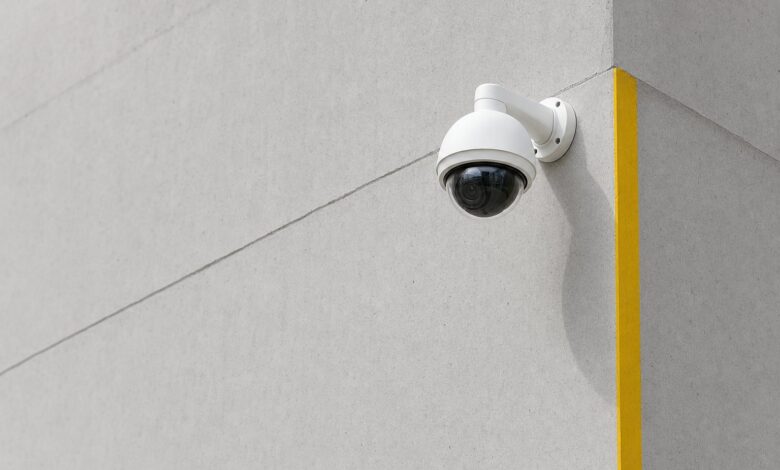
The camera type affects the surveillance provided and image quality achieved. Fixed units are suitable for unchanging areas where a consistent viewpoint is important. In comparison, pan-tilt-zoom cameras enable active monitoring of larger spaces and can alter their field of view as needed.
Organisations with large perimeters or variable lighting sometimes use thermal imaging cameras for detecting movement where visual conditions are challenging. Multi-sensor models cover wide areas from a single point, helping reduce installation complexity. Selecting the correct mix of cameras helps maintain oversight of both high-traffic and vulnerable areas.
Managing footage quality, retention, and use
Deciding on image resolution involves balancing the need for clear identification with storage and bandwidth limits. Practical details such as frame rate and recording time should reflect likely incident scenarios and retrieval processes.
Retention policies depend on risk and legal requirements, with typical business timescales between a few days and several weeks. The ability to accurately timestamp, securely export, and manage footage supports compliance and incident response. For further information on standards and data retention, consult official guidance on data protection available from governmental sources.
Operational processes and maintenance protocols
Day-to-day management of camera systems should be considered. Whether on-site monitoring or remote viewing is used, access and user permissions must be strictly regulated. Keeping audit records of who has accessed or changed footage can improve accountability and assist in investigations.
Effective maintenance planning reduces the risk of system downtime. Routine health checks and timely responses to technical issues help maintain the intended operation of the system. This proactive management supports the role of surveillance as a deterrent and a reliable security measure.
Implementing privacy, signage, and data governance
Governance underpins compliance and organisational best practice. Establish internal guidance clarifying who can view footage, under what circumstances, and for which business purposes. Such policies help prevent misuse and protect the privacy rights of staff and visitors.
Clear signage is a legal requirement wherever cameras are in use, promoting transparency. Procedures for handling footage requests and securing private data should be robust and clearly communicated within your organisation.
Creating a robust selection checklist for success
When considering commercial security cameras, begin by establishing your business’s specific risks and requirements. Match technical features to the unique challenges and spaces within your premises. Verify that privacy, operational, and incident response processes are in place so your investment contributes to both safety and reassurance.
By reviewing objectives for coverage, environmental suitability, and system manageability, you are better positioned to create a CCTV solution tailored to your current business needs. For additional information about CCTV technologies and deployment considerations, consult reputable reference sources that provide insights into various system types and use cases.